Every AI model, right beside your work.
Ask GPT, Claude, Gemini, DeepSeek or Grok about the page, PDF or video you’re on — without copying, pasting or switching tabs.
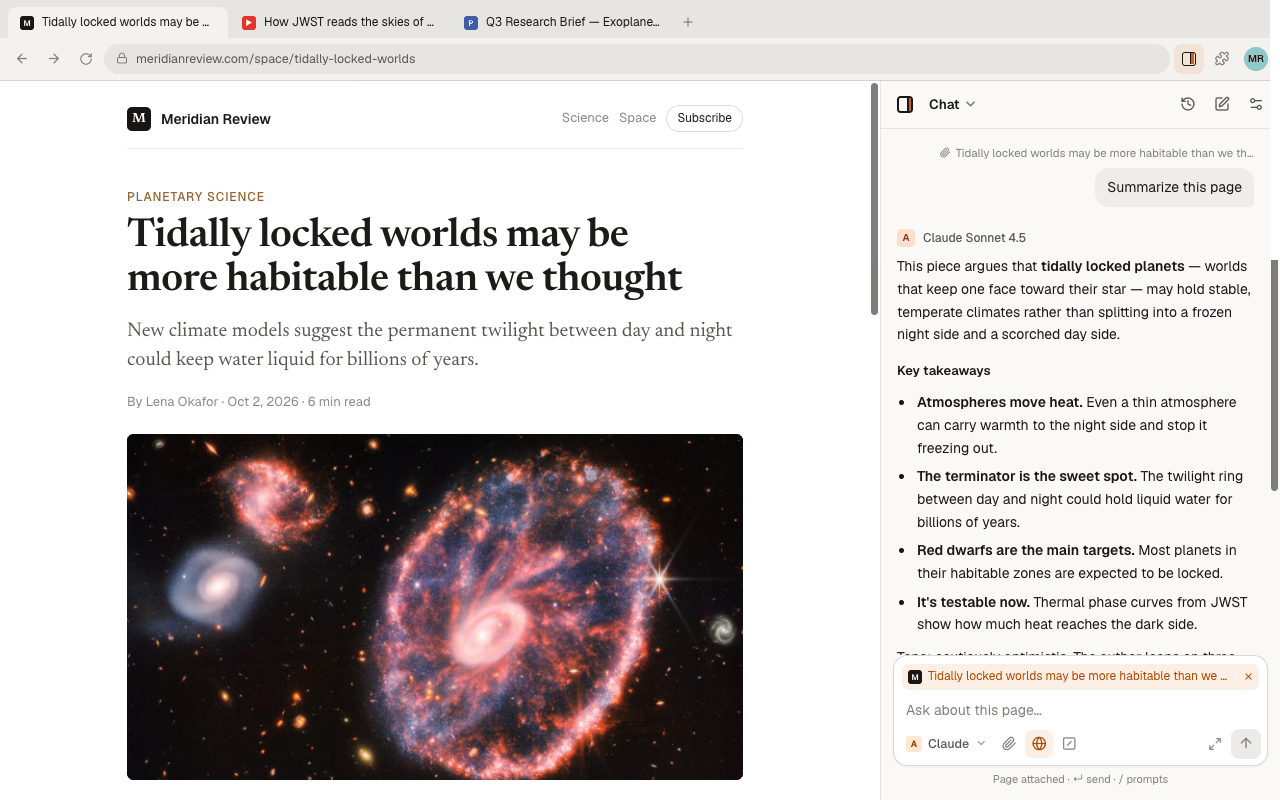
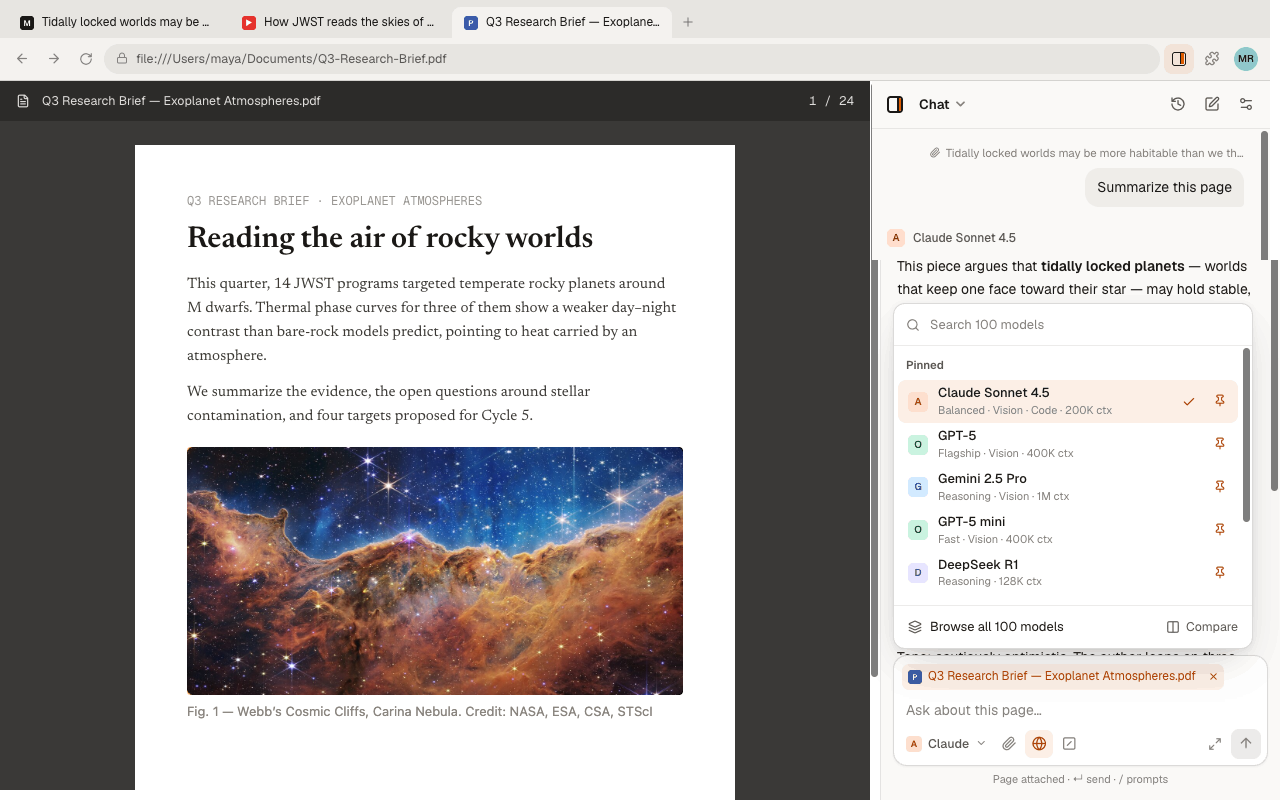
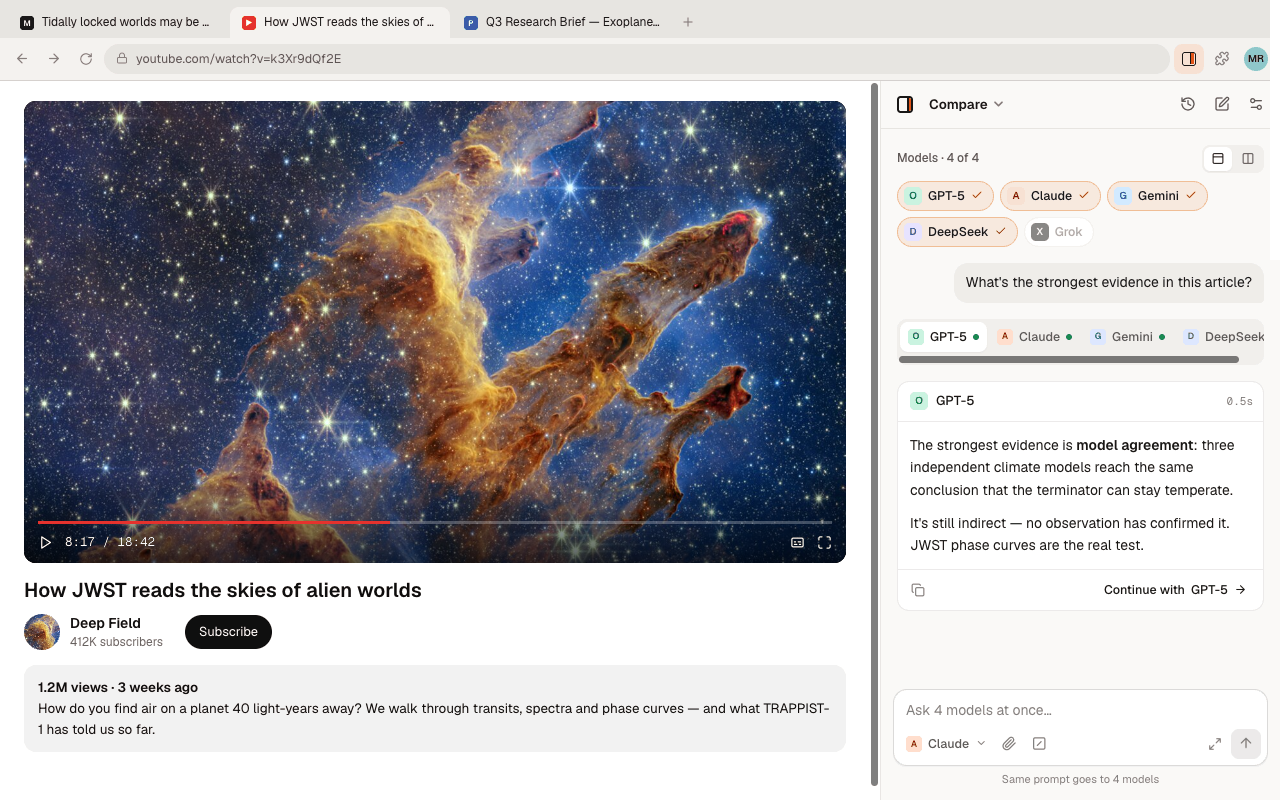
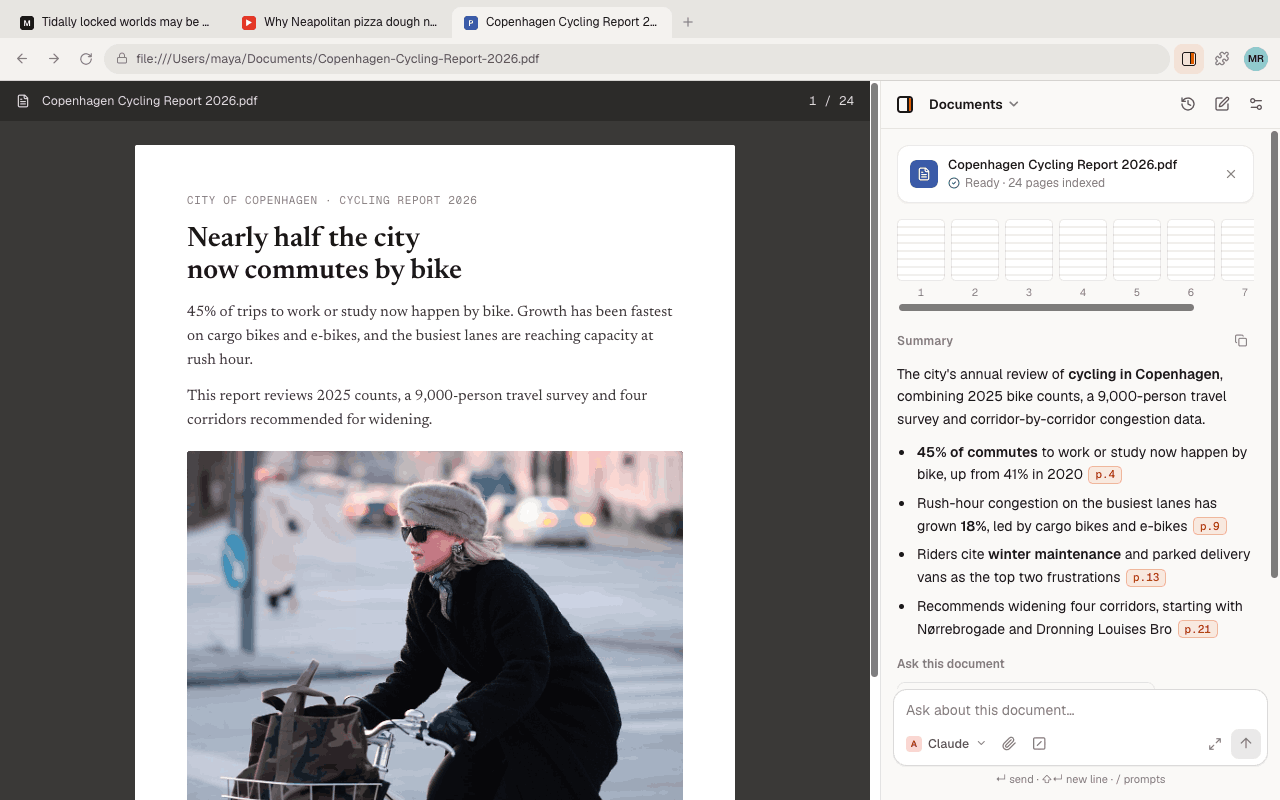
Up and running in a minute.
- 1
Add to Chrome
Install from the Chrome Web Store. No account needed.
- 2
Connect a provider
Paste an API key from OpenAI, Anthropic, Google, DeepSeek or xAI. One is enough.
- 3
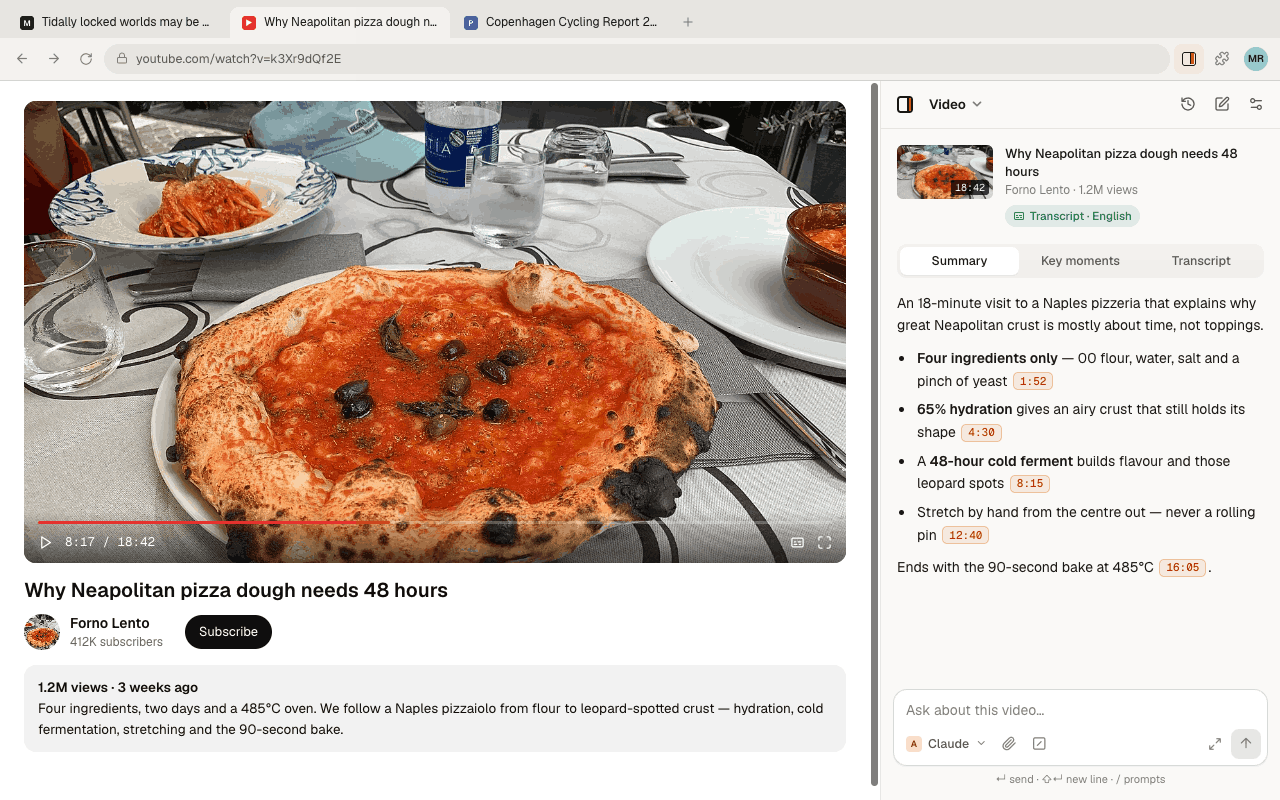
Press Alt+O
(⌥O on Mac.) The panel opens next to whatever you’re reading. Select text, or just ask.
Select anything, then ask.
Highlight a passage and a toolbar appears: explain, rewrite, summarize or ask your own question. The page stays right where it is.
AI on any webpage →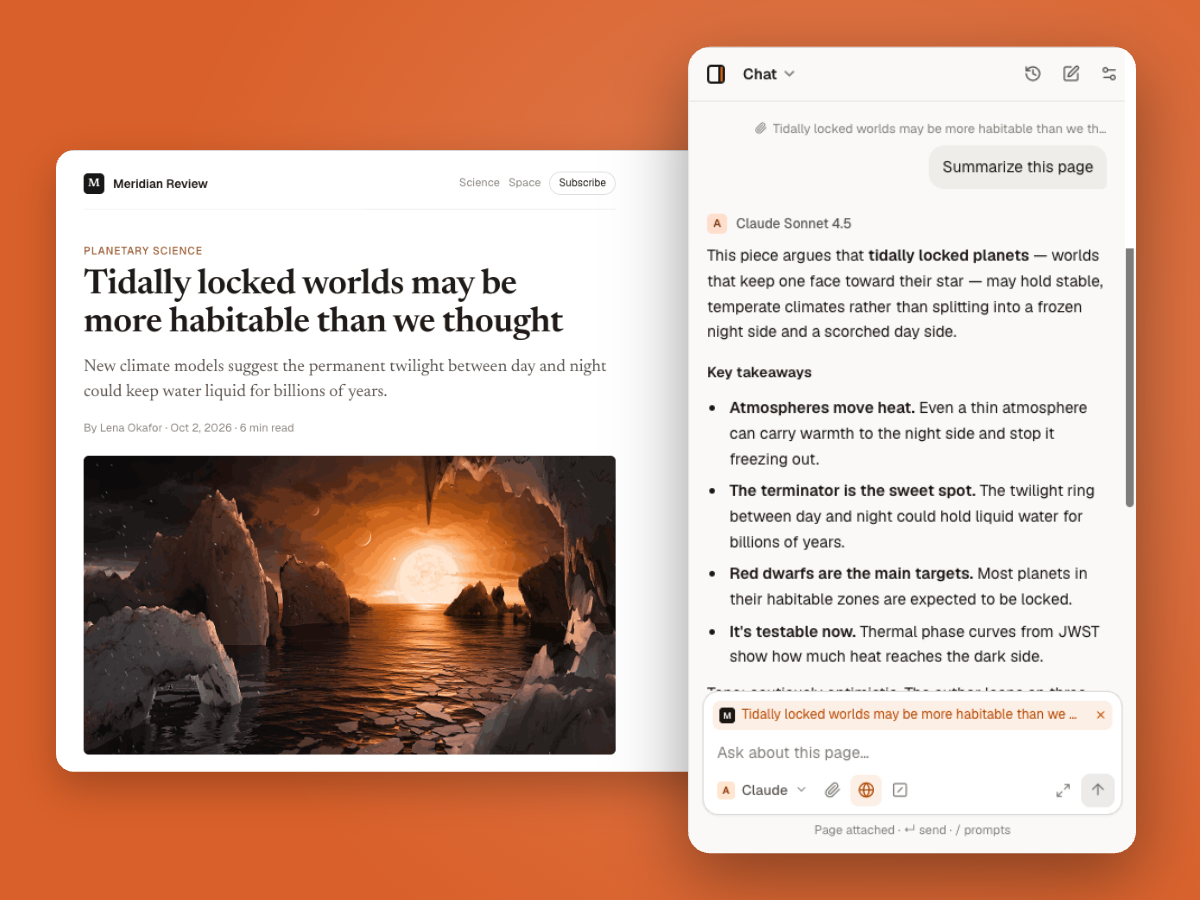
Ask several models at once.
Send one question to several models and read the answers side by side. Spot where they agree, and where one knows something the others missed.
See supported models →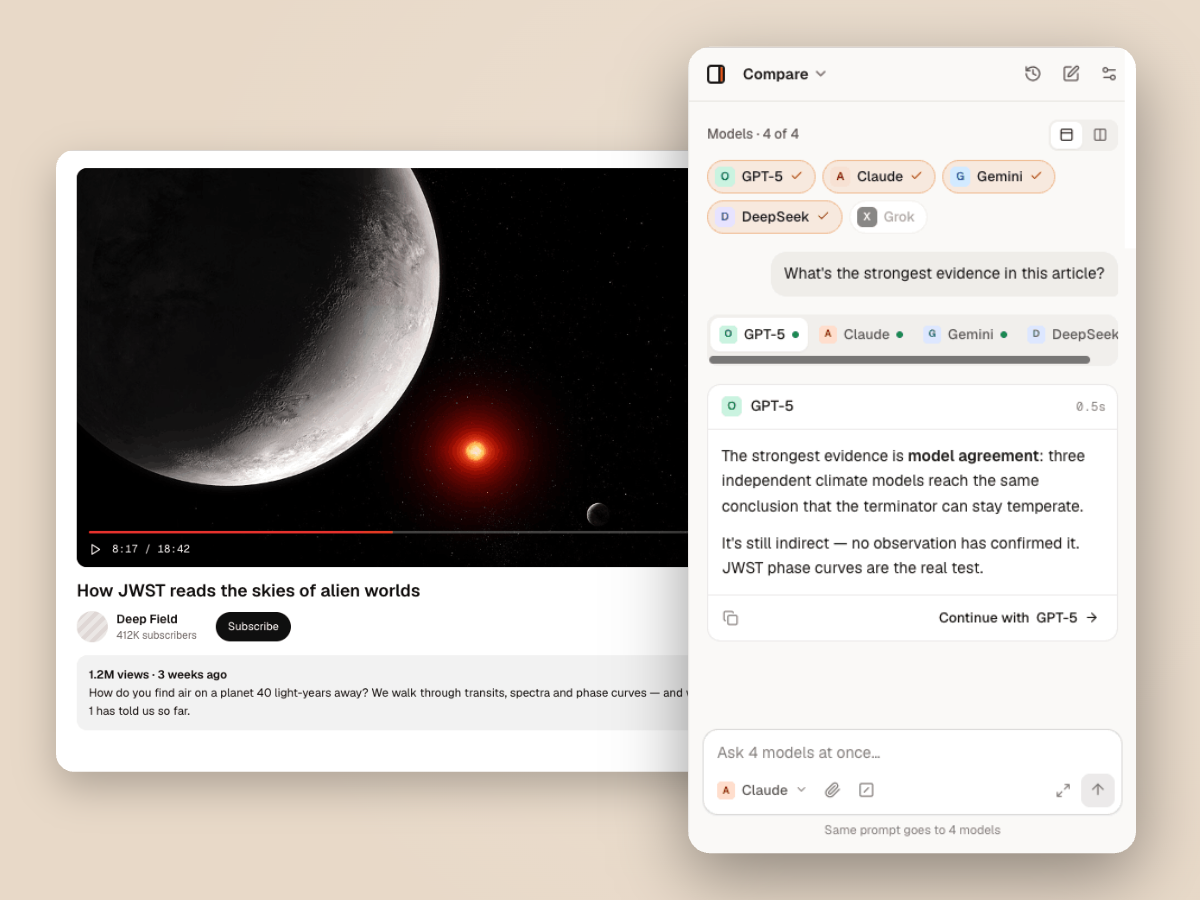
Chat with PDFs, with page citations.
Open a report or paper and ask questions. Every answer points back to the page it came from, so you can check it.
Chat with PDFs →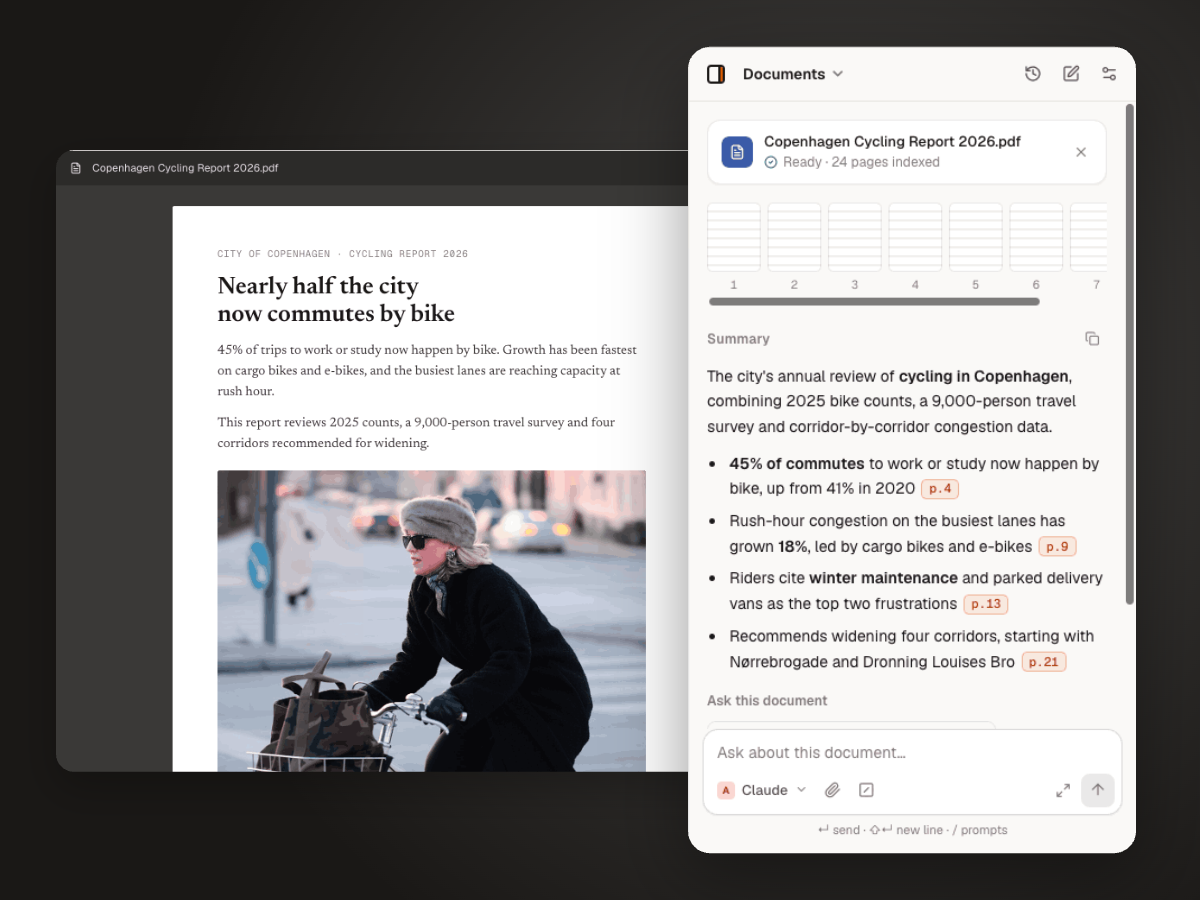
Get the point of a video in seconds.
Summaries, key moments and a searchable transcript, with timestamps that jump straight to the right second.
Summarize YouTube videos →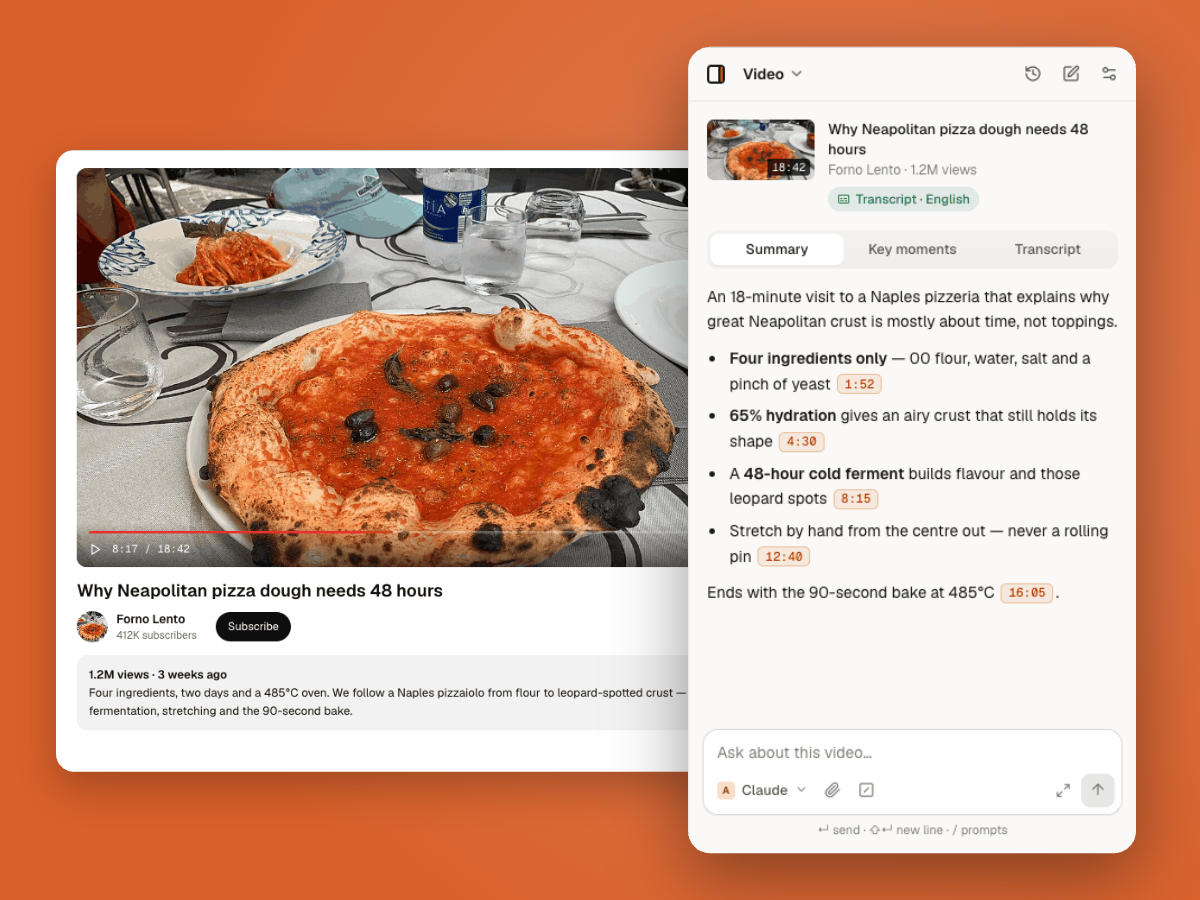
Your pages, your keys, your business.
Thinkbeside doesn’t run its own AI servers. It sends what you share straight to the provider you pick. Your chats, keys and settings stay on your device; an optional account stores your email, name and token counts.
Read the privacy policy →Keys stay in your browser
Stored locally and sent only to the provider they belong to.
Nothing is read until you ask
Page access happens when you send a message — not in the background.
No middleman servers
Requests go straight from your browser to the AI provider.
Never used for training
We don’t collect your content, so there’s nothing to train on.
Every major provider, one picker.
New models show up as providers release them. Connect one provider or all five.
- OpenAIGPT
- AnthropicClaude
- GoogleGemini
- DeepSeekDeepSeek
- xAIGrok
Questions
Think beside your work.
Free to install. Works with the API keys you already have.
Also works in Edge, Brave and Arc.